
How to Find the Model Number on Anything (TVs, Microwaves, Routers, Phones)
Quick Start: Find the Model Number in 60 Seconds
- Look: Check the back, underneath, or inside a door frame (microwave, washer, dishwasher).
- Try Settings (if it has a screen): Settings → About / Support → Device Information (TVs, phones, tablets).
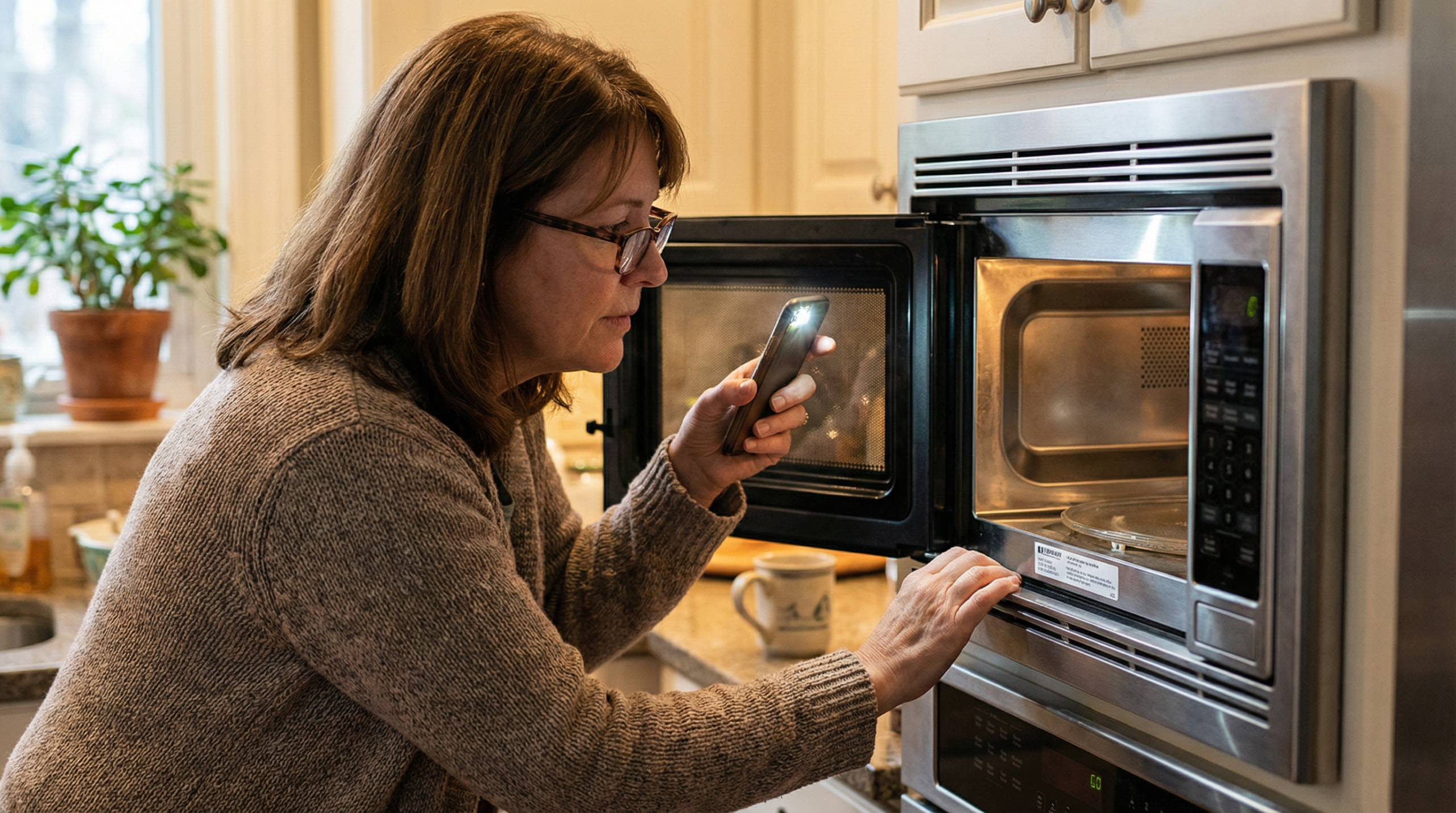
- Use the phone trick: Take a photo of the label and zoom in (tiny print is common).
- Write down two things: Brand + Model (you usually don’t need the serial number).
- Now search: [BRAND] [MODEL] manual PDF or [BRAND] [MODEL] troubleshooting / setup / reset.
- Ask AI (copy/paste):
“I’m using [brand + model]. Where do I find the model number on this device? If I paste the label text, can you tell me which part is the model number and what I should search?”
If the label is hard to read, you’re not alone — the photo-and-zoom trick makes it easy.
If you’ve ever searched online for help and thought, “Why am I getting the wrong instructions?” — the answer is often simple:
You searched for the brand, but not the model number.
A brand name alone (like Samsung, Apple, LG, Bosch) can cover hundreds of products. The model number is the little code that tells the internet (and AI!) exactly which one you have — so you get the right manual, the right video, and the right steps.
This guide will show you how to find the model number on the most common household devices, even if the sticker is tiny or hard to read.
The 60-second method (works for almost anything)
Step 1: Look for a label
Most devices have a label:
- on the back
- underneath
- inside a door/hinge area
- on the base (routers/modems)
Step 2: Take a photo and zoom in
If the print is small:
- Take a quick photo with your phone. It may help to turn on a light or used your phone torch.
- Zoom in
This trick saves a lot of squinting.
Step 3: Copy the right code
You’re usually looking for:
- Model (or Model No. / Model Number)
- sometimes Product No. / P/N
- sometimes an Item number (common with flat-pack furniture)
Tip: Serial Number (S/N) is usually not needed for manuals — it’s for warranty/support.
What you’re looking for (and what to ignore)
✅ Useful for searching
- Brand
- Model number
- Item number (especially for furniture or certain appliances)
- Product code (sometimes needed for the exact manual)
Usually not needed for searching
- Serial number
- long barcode numbers
- manufacturing dates
Where to find the model number by device type
1) TV (Samsung, LG, Sony, etc.)
Where to look:
- A label on the back of the TV (often near the ports)
- In the TV menu: Settings → Support → About / Device Information
(wording varies by brand)
What it looks like: a mix of letters + numbers, often quite long.
Tip: If the TV is wall-mounted, the menu method accessed through the TV is often easier than trying to reach the back.
2) Microwave
Where to look:
- Inside the door frame (the edge you see when the door is open)
- Sometimes on the back or underside
Tip: The microwave label is usually one of the easiest to find once you know to check the door frame.
3) Washing machine / Dryer
Where to look:
- Inside the door rim
- Behind the door
- On the side edge of the door opening
- Sometimes behind the detergent drawer area
Tip: If you’re searching for help with an error message, include:
[Brand] [Model] error code [number]
4) Fridge / Freezer / Dishwasher
Where to look:
- Inside the fridge compartment on a side wall
- Along the door edge
- For dishwashers: inside the door or on the door frame
Tip: Take a photo — these labels are often glossy and hard to read at an angle.
5) Router / Modem (Wi-Fi box)
Where to look:
- Underneath the router/modem (bottom label)
- Sometimes on the back panel
What it might say:
- Model (e.g., Archer AX50)
- Default Wi-Fi name (SSID) and password
- Admin login info
Tip: Be cautious when sharing screenshots — Wi-Fi passwords can appear on these labels. If you’re asking for help, you can cover or blur passwords.
6) Phone / Tablet (iPhone, Android, iPad)
Where to look (easy method):
- Settings → About
(on iPhone: Settings → General → About)
You may see:
- Model name
- Model number (sometimes you tap it to show a longer code)
- Storage size
Tip: For most “how-to” tasks, “iPhone 12” or “Samsung Galaxy S21” is enough — but for troubleshooting, the longer model code can help.
7) Laptop / Desktop (Windows / Mac)
Where to look:
- Underneath the laptop (label)
- Inside the battery compartment (older laptops)
- On Windows: search System Information
- On Mac: Apple menu → About This Mac
Tip: Many brands have similar-looking laptops — the model helps you find the right drivers and instructions.
Flat-pack furniture: model numbers look different
For flat-pack furniture, you may not see “model number” — instead look for:
- Item number
- Product name
- Order number
- A code on the box or instruction sheet
Best search formula:
[Brand] + [Product name] + assembly video
or
[Item number] + assembly instructions PDF
If your instructions are tiny or vague, this is also a perfect time to use the “translate the instructions” AI prompt (below).
Quick “copy and paste” template (save this somewhere)
When you find the details, save them like this:
- Brand:
- Model / Item number:
- Product name (if any):
- Where you found it: (back label / Settings / door frame)
This makes it easier next time (and helpful if you’re supporting a family member too).
Once you have the model number, here’s what to do next
You can now find clearer help online using:
[BRAND] + [MODEL] + manual PDF
[BRAND] + [MODEL] + setup / troubleshooting / reset
[BRAND] + [MODEL] + “how to” + [task]
For a full step-by-step guide (including safe searching), see:
No Manual? No Problem: How to Find Help Online
Gentle AI prompts (optional, but very handy)
Prompt: gentle tutor
“Please be my gentle tech tutor. I’m using a [brand + model]. I’m trying to [task]. Explain in simple steps like I’m new to this.”
Prompt: tiny / unclear label
“I found this label but I’m not sure which code is the model number. Here’s what it says: [paste the text]. Which part is the model number, and what should I search for?”
Prompt: flat-pack instructions translation
“These instructions are tiny and unclear. Here is the text: [paste]. Rewrite as simple numbered steps. If something is ambiguous, give me the two most likely interpretations and how to tell which is correct before I tighten anything.”
A kind reminder
If you can’t find the model number quickly, it doesn’t mean you’re doing anything wrong. Labels can be hidden, faded, or placed in awkward spots. Use the photo-and-zoom trick, and try the Settings/About menu when it’s available.